
Using the time vault
The time vault is a catalogue of deleted entities. Nothing is permanently lost; any deleted entity can be recovered from here.
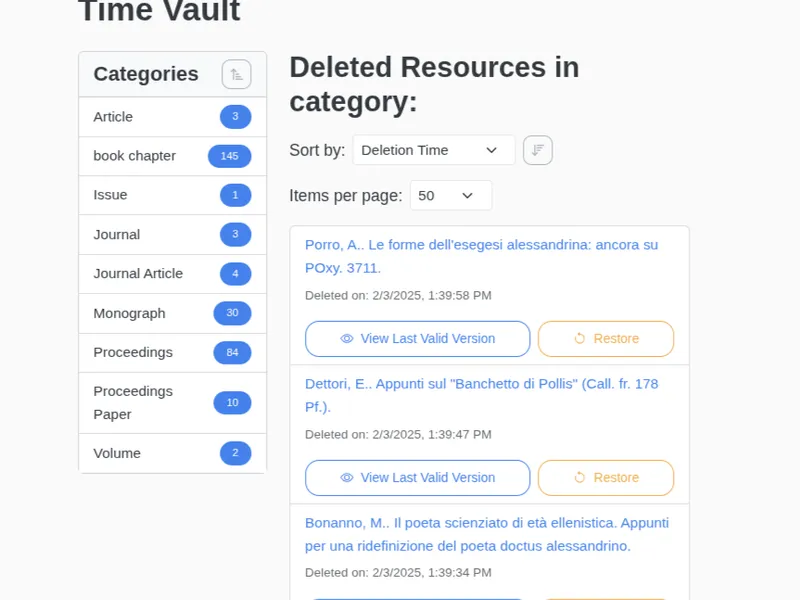
Navigating the time vault
Section titled “Navigating the time vault”The time vault’s interface is intentionally similar to the main catalogue, making it easy to use:
- Categories Panel: On the left, you can browse deleted items by their category.
- Deleted Resources List: On the right, you see the list of deleted items for the selected category.
- Sorting: Items are ordered by Deletion Time, so the most recently deleted resources come first. You can reverse the direction to start from the oldest.
Restoring deleted resources
Section titled “Restoring deleted resources”For each item in the list, you have two primary actions:
- View Last Valid Version: This allows you to see the state of the resource right before it was deleted.
- Restore: This button restores the entity to your collection and removes it from the time vault.