
Browsing the catalogue
HERITRACE provides an interface for browsing your collection. It is not a search engine, but it lets you navigate and access metadata records by type.
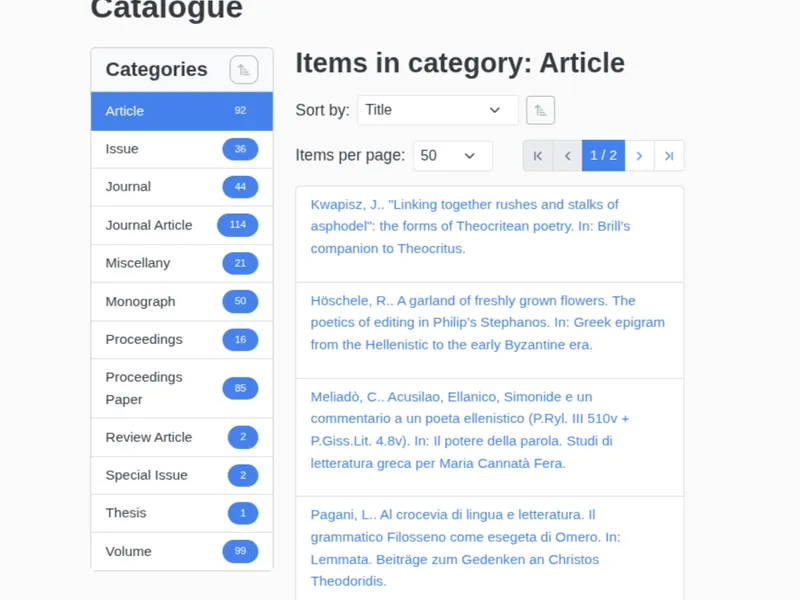
The catalogue is divided into two main panels:
-
Categories Panel (Left): This panel lists all available entity types in your collection (e.g., “Journal Article,” “Book”). Each category shows the total count of items it contains. Click a category to view its items.
-
Items List (Right): This area displays the entities for the selected category. You can:
- Sort the list by different properties using the “Sort by” dropdown.
- Paginate through results if there are many items.
- Click any item’s title to open its detailed view for editing.